
Replace disconnected tools and manual processes with software built around your business
When spreadsheets, subscriptions, and workarounds no longer support the way your business operates, another off-the-shelf tool may not solve the problem.
Solorio Designs is a founder-led custom software development studio that builds web applications, customer portals, operational dashboards, and connected business systems.
We help businesses simplify workflows, connect important data, and develop software designed around the people who actually use it.
Request a System Consultation
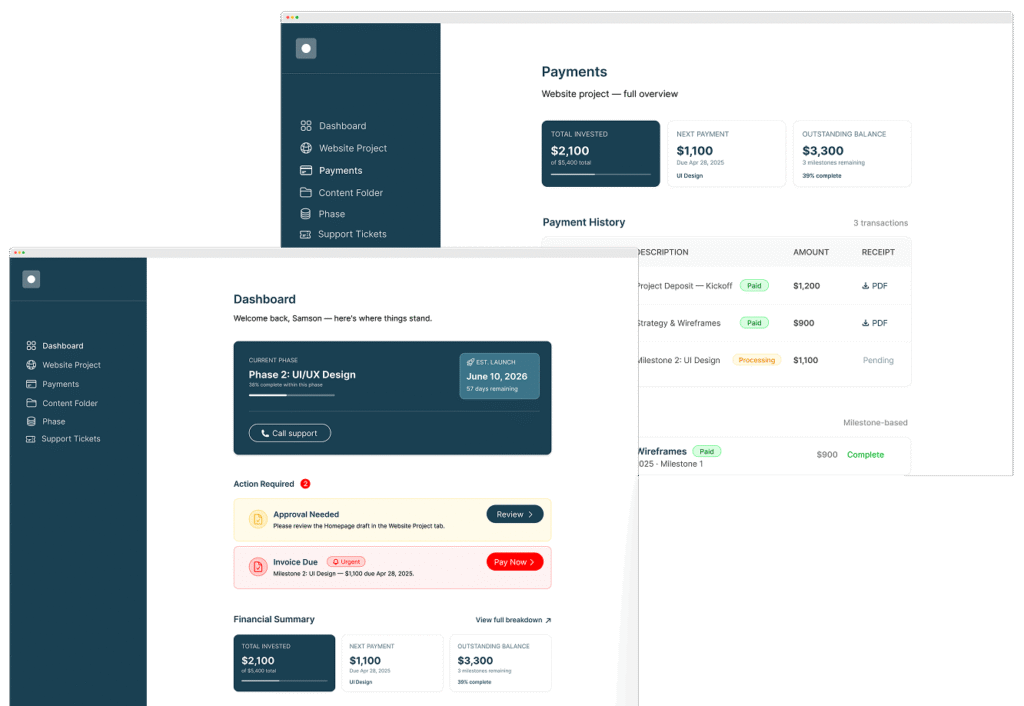
When Growth Starts Creating Operational Friction
The problem isn’t always that your business needs more software.
Sometimes your business has outgrown the tools it originally depended on.
Our custom software development services help determine what should be connected, automated, improved, or built from scratch.
Approvals buried in email
Repetitive copying and pasting between systems
Critical spreadsheets maintained by one person
Different teams working from different data
Customers calling for information they should be able to access themselves
Role-based permissions managed manually
Reports assembled by hand
Processes that only work because "someone knows how"
Multiple subscriptions that still don't solve the entire workflow
Adding Another Tool Doesn't Always Fix a Broken Workflow
Off-the-shelf software is usually the right place to start. But when the business grows, teams often respond to new problems by adding:
The Workaround Stack:
- Another spreadsheet
- Another SaaS subscription
- Another automation
- Another manual handoff
- Another workaround
Eventually, the business has plenty of software—but no single workflow that connects it.
The issue is no longer that you need another feature.

The issue is that the process itself is fragmented.
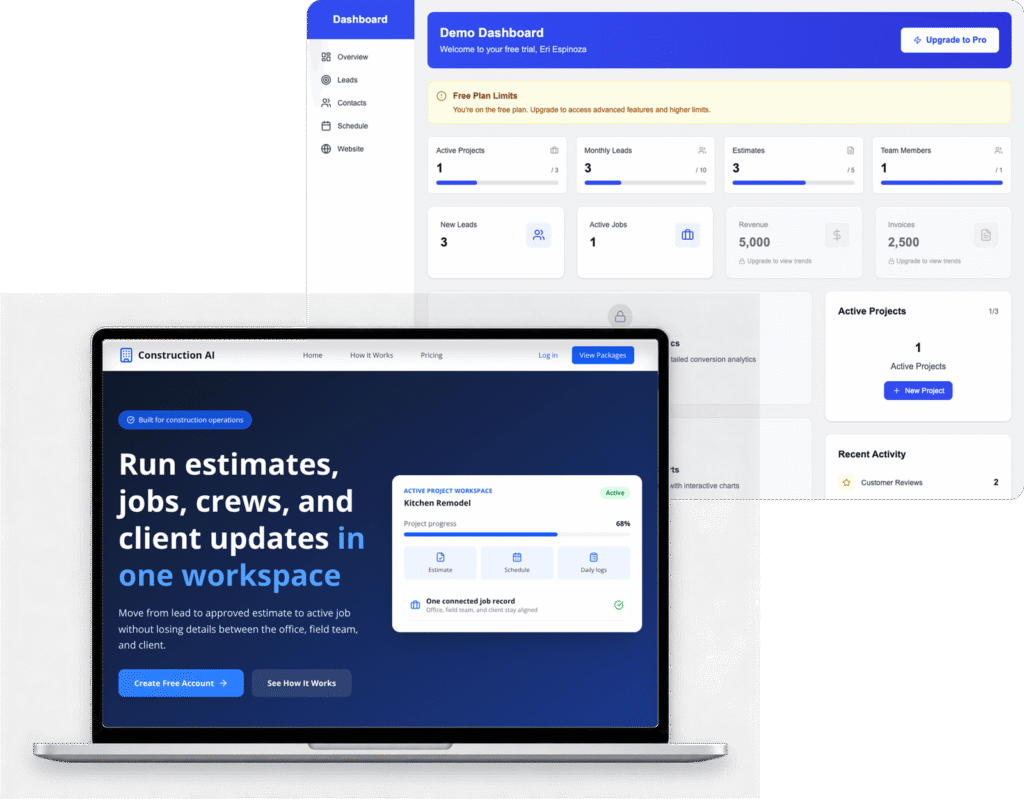
Construction Operations Platform
A construction business needed a better way to manage its operations without relying on disconnected tools and manual processes.
The Challenge
Important information and workflows were spread across multiple processes, making it harder to maintain a consistent view of projects, customers, and day-to-day operations.
What We Needed to Solve
The goal wasn’t simply to build “a dashboard.”
The business needed one system where different users could work from the same operational information while seeing only the data and actions appropriate to their role.
The solution
A centralized, role-based web application designed around the company’s internal workflow.
Capabilities include:
- Project management
- Customer records
- Operational dashboards
- Role-based access
- Centralized business data
- Custom workflow logic
The Result
- One centralized system for managing core business operations instead of relying on disconnected processes.
Custom Software Isn't the First Decision
Not every operational problem needs a custom application. Sometimes the better answer is:
Alternative solutions to consider:
- configuring the software you already have
- connecting two systems through an integration
- automating a repetitive step
- improving an existing internal tool
- replacing one system with a better off-the-shelf platform
Custom software becomes valuable when the workflow itself is important, repeatable, and specific enough that existing tools continually force your team to work around them.
Before recommending development, we look at:
- who performs the workflow
- what steps happen today
- where information lives
- where work slows down
- what gets entered twice
- what needs approval
- which systems must remain
- what should be automated
- what actually must be custom
If a simpler solution solves the problem, that should be considered first.
One Workflow Instead of a Collection of Workarounds
When custom software is justified, the goal isn’t to reproduce every tool the business already uses.
The goal is to create a clear system around the important workflow.
That may mean giving the business one place to:

Manage the Process
Move work through defined stages instead of relying on fragile email threads and memory.
Centralize Important Data
Give teams a consistent view of customers, projects, requests, inventory, or operational metrics.
Control Access
Give employees, managers, customers, and vendors exact access rights based strictly on their roles.
Connect Existing Systems
Integrate software that still works instead of unnecessarily tearing down and replacing everything.
Automate Repetitive Steps
Reduce copying, routing, notification delays, manual approvals, and clerical busywork.
Create Visibility
Give the leadership team instant dashboards and reports without manually assembling exports.
Your Software Should Fit the Workflow, Not the Other Way Around
Off-the-shelf software works well when your business operates like everyone else.
But when your processes, permissions, data, or customer experience are unique, forcing the business into generic software can create unnecessary work.
We design systems around the workflow first.
Then we determine what should be automated, integrated, simplified, or rebuilt.
From Fragmented Workflow to Working System
Successful software projects begin with understanding the business problem, not choosing a framework.
We use a phased process to clarify requirements, reduce unnecessary development, and make sure the first release solves a meaningful operational need.
Map the Workflow
We identify the users, roles, data, bottlenecks, approvals, integrations, and manual steps that are creating friction.
Define & Build the Right System
We determine what should be automated, integrated, improved, or custom-built, then design and develop the smallest useful system around the core workflow.
Launch, Validate & Improve
We test permissions, integrations, edge cases, security-sensitive workflows, and performance, then monitor real-world usage and expand the system based on actual needs.
Custom Systems for Work That No Longer Fits Off-the-Shelf Software

Internal portals & operational dashboards
Give employees one place to manage important workflows, records, statuses, and operational information.

Client and member portals
Let customers, members, vendors, or partners securely access information and complete actions without relying on phone calls or email.

Role-based business systems
Create different experiences and permissions for employees, managers, customers, administrators, or other user types.

Workflow and approval systems
Move requests, tasks, documents, or decisions through defined stages with clear ownership.

API and third-party integrations
Connect existing business systems so information can move between them without repeated manual entry.

Custom SaaS applications
Build software products intended for external customers, subscriptions, or recurring commercial use.

Data-driven applications and reporting systems
Centralize operational data and make important information easier to access, filter, and understand.

AI-assisted workflows and automation
Use AI where it meaningfully improves an existing workflow rather than adding AI simply because the technology is available.

Mobile-ready business applications
Build responsive applications for workflows that need to work across desktop, tablet, and mobile browsers.
Map the Workflow Before Building the Software
DIAGNOSIS
Workflow & Systems Diagnosis
- users
- roles
- current workflow
- systems
- data
- manual steps
- bottlenecks
- permissions
- integrations
- technical risks
The goal is to understand how work happens today and where it breaks down.
WORKFLOW & SYSTEMS DIAGNOSIS
Project & Architecture
- core workflows
- application requirements
- user journeys
- data model
- permissions
- integrations
- technical architecture
- first-release scope
The goal is to define the smallest system that solves the important operational problem well.
Frequently Asked Questions

Do we need custom software, or could an integration or automation solve this?
Not always. We start by understanding the workflow first. Sometimes the best solution is connecting two existing systems, automating a repetitive step, improving an internal tool, or configuring software you already use. Custom development is recommended when the workflow is important, repeatable, and specific enough that off-the-shelf tools continue creating workarounds.
How do you determine what belongs in the first release?
We focus on the smallest version that solves the core operational problem well. During discovery, we map users, workflows, data, permissions, integrations, and business priorities, then separate what is essential for the first release from what can be added later.
Can you work with our existing systems?
Yes. In many projects, the goal is to connect and improve the systems that already work rather than replace everything. We can integrate with existing software, APIs, databases, CRMs, payment systems, internal tools, and other platforms when appropriate.
Can the application support different user roles and permissions?
Yes. We can design role-based access so employees, managers, customers, vendors, administrators, or other users only see the data and actions appropriate to their role.
Can you build the backend and database too?
Yes. Custom application projects can include the frontend, backend, database, authentication, APIs, business logic, permissions, integrations, admin tools, and cloud infrastructure required to support the system.
Do you provide ongoing support after launch?
Yes. Post-launch support can include stabilization, bug fixes, monitoring, performance improvements, new features, workflow refinements, integrations, and continued product development as the system evolves.
What happens if the project is too complex to scope on the first call?
For larger or more complex systems, we may recommend a paid Systems Discovery & Architecture phase before estimating the full build. That allows us to properly map the workflows, users, permissions, data, integrations, technical risks, and first-release scope so the implementation can be estimated with much more confidence.
Who owns the code and application after launch?
For custom projects, ownership and licensing terms are defined clearly in the agreement before development begins. In most cases, once the project is paid in full, the client owns the custom code and project-specific deliverables, while third-party libraries, platforms, and licensed tools remain subject to their own terms.
Ready to build the right thing?
Tell us how the workflow works today, where it breaks down, and what your team needs to accomplish.
During a 30-minute system consultation, we’ll help determine whether the right next step is an integration, automation, focused improvement, or a custom application.
REQUEST A SYSTEM CONSULTATION