How to Migrate a Website Without Losing SEO, Traffic, or Analytics
Migrating a website can help a business improve performance, modernize outdated technology, and create a better experience for customers.
You might be rebuilding an old WordPress website, moving to a new CMS, adopting a headless architecture, changing domains, or redesigning a site that no longer supports your business.
But a website migration involves more than transferring content and launching a new design.
Without proper planning, a migration can put years of search visibility, organic traffic, and valuable business data at risk.
Pages that previously ranked in Google may disappear from search results. Existing links may lead to errors. Analytics events may stop working. Important content, metadata, or integrations may be left behind.
The objective isn’t simply to launch a better-looking website.
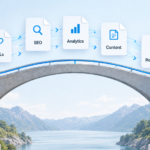
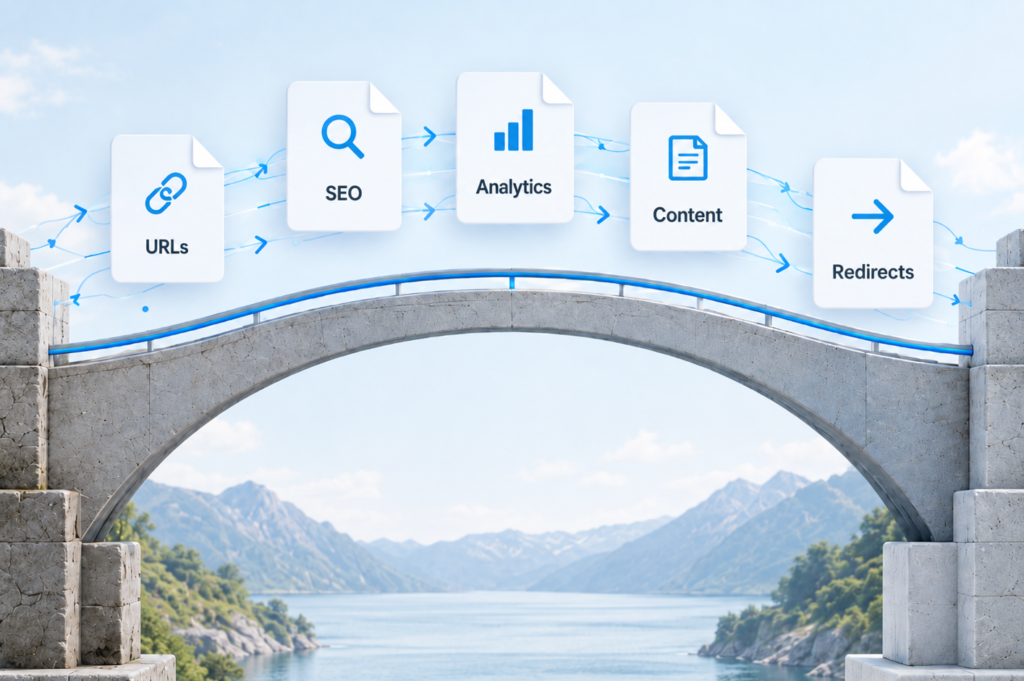
It’s to modernize your website while protecting the SEO, traffic, content, and measurement systems your business has already built.
This guide explains how to migrate a website without unnecessarily losing SEO value, what to test before launch, and how to identify problems before they affect your business.
What Is a Website Migration?
A website migration is a significant change to a website’s platform, infrastructure, domain, URLs, design, or content structure.
Common website migrations include:
- CMS migration: Moving from WordPress, Drupal, or a legacy CMS to another platform.
- Website redesign: Rebuilding the website with new templates, layouts, and content structures.
- Domain migration: Moving from one domain name to another.
- Hosting migration: Moving a website to a different hosting provider or infrastructure.
- Headless CMS migration: Separating the frontend from the content management system.
- URL restructuring: Changing how pages and content are organized.
Not every migration involves the same SEO risks.
For example, moving hosting providers while keeping the same URLs may require fewer SEO changes than a redesign that changes hundreds of URLs and removes existing content.
The more changes you introduce simultaneously, the more carefully you need to plan and validate the migration.
Businesses with more complex publishing requirements may also need a broader CMS and website modernization strategy.
Why Website Migrations Can Cause SEO and Traffic Loss
Search engines rely on more than the visible design of your website.
They evaluate page content, URLs, internal links, canonical signals, structured data, redirects, and other technical factors to discover and understand your pages.
During a migration, any of these elements can change.
Common causes of traffic loss include:
- Removing pages that previously received organic traffic.
- Changing URLs without implementing redirects.
- Accidentally leaving
noindexdirectives on production pages. - Blocking important content in
robots.txt. - Losing page titles, headings, or structured data.
- Redirecting relevant pages to unrelated destinations.
- Changing internal links without updating them.
- Making important content inaccessible to search engines.
- Introducing significant performance or server errors.
Some ranking fluctuations are normal during major site moves because search engines need time to process the changes.
However, broken redirects, missing content, and accidental indexing restrictions are preventable technical problems.
A successful migration starts by understanding what currently works before changing anything.
How to Migrate a Website Without Losing SEO: 10 Steps
The following process helps reduce migration risks and preserve the existing value of your website.
1. Audit Your Existing Website Before Making Changes
Before building or launching the replacement website, document the current site’s SEO performance and technical structure.
Start with an inventory of important URLs, including:
- Main service and product pages.
- Pages generating organic traffic.
- Pages earning backlinks.
- Important blog posts and informational resources.
- High-converting landing pages.
- Location pages.
- PDFs and downloadable resources.
- Pages connected to advertising campaigns.
Use Google Search Console to identify pages receiving impressions and clicks from organic search.
Google Analytics 4 can help identify landing pages that contribute to engagement, inquiries, bookings, or purchases.
A website crawler can help identify existing page titles, internal links, canonical URLs, and HTTP status codes.
Record the baseline before migration.
At a minimum, document:
- Organic clicks and impressions.
- Important keyword rankings.
- Organic landing-page traffic.
- Key conversions and events.
- Indexed and submitted pages.
- Existing URL structures.
- Current Core Web Vitals and performance.
- Known technical errors.
Without a baseline, it becomes difficult to distinguish migration-related issues from normal fluctuations in traffic.
2. Preserve Existing URLs Whenever Possible
One of the simplest ways to reduce SEO migration risk is to keep important URLs unchanged.
Suppose a remodeling company has a service page at:
/services/kitchen-remodeling/
If that page already attracts search traffic and backlinks, there may be little benefit in changing its URL during a redesign.
Even when the frontend changes from WordPress to Next.js, the public URL can often remain the same.
Keeping URLs stable reduces the number of redirects required and simplifies the migration.
If a URL must change, map it to the most relevant replacement page.
For example:
| Existing URL | New URL | Action |
|---|---|---|
/services/kitchen-remodeling/ | Same URL | Keep |
/old-kitchen-services/ | /services/kitchen-remodeling/ | 301 redirect |
/blog/kitchen-design-tips/ | /guides/kitchen-design-tips/ | 301 redirect |
/outdated-event/ | No replacement | Review for 404 or 410 |
A removed page does not always need a redirect.
If there is no relevant replacement and the content has been intentionally retired, returning an appropriate 404 or 410 response may be better than sending visitors to an unrelated page.
Avoid redirecting every deleted URL to the homepage.
3. Create and Test a Redirect Map Before Launch
If your migration changes URLs, create a redirect map before switching the website live.
A redirect map documents where each old URL should send users and search engines.
For permanent URL changes, server-side 301 or 308 redirects are generally appropriate.
A simplified example:
/old-services/ → /services/
/blog/old-article/ → /resources/updated-article/
When creating redirects:
- Point old URLs to the most relevant replacement pages.
- Avoid unnecessary redirect chains.
- Prevent redirect loops.
- Ensure final destinations return successful HTTP responses.
- Test important URLs before and after launch.
- Keep redirects active long enough for search engines and users to transition.
Google generally recommends maintaining site-move redirects for at least one year. Keeping them longer can benefit users following old bookmarks or external links.
A redirect should take users directly to the intended destination rather than sending them through several intermediate URLs.
This matters when migrating from platforms such as WordPress to Next.js, Drupal to WordPress, or a custom CMS to a headless architecture.
The underlying technology may change completely, but existing links should continue to work.
4. Preserve SEO Metadata and Search Indexing Signals
A website redesign can unintentionally remove information that search engines previously used to understand your content.
Before launching, compare important pages on the old and new websites.
Check:
- SEO titles and meta descriptions.
- Main headings and content hierarchy.
- Canonical URLs.
- Structured data.
- Image alt text.
- Internal links.
- XML sitemap entries.
- Meta robots directives.
- Open Graph metadata.
In WordPress, some of this information may live in SEO plugins or custom fields.
During a migration to another CMS or framework, those fields must be deliberately mapped into the new system.
They do not necessarily transfer automatically.
Pay particular attention to canonical tags and indexing directives.
A production page accidentally marked noindex may be excluded from search results, even when the page appears to work perfectly for visitors.
Similarly, a canonical tag pointing to an incorrect domain or URL can create conflicting indexing signals.
SEO metadata should be treated as migration data, not as an afterthought added after the redesign.
5. Audit, Improve, and Migrate Your Content
A website migration provides an opportunity to improve content quality and organization.
However, removing or rewriting large amounts of content without reviewing performance can create unnecessary SEO risks.
Classify your existing pages into four groups:
Keep: Important pages that should move largely unchanged because they are relevant, accurate, and performing well.
Improve: Pages that still serve a purpose but need updated information, clearer structure, or better positioning.
Merge: Similar or overlapping pages that could become one more useful resource.
Remove: Outdated content that no longer serves visitors or the business.
Before removing or merging pages, review their organic traffic, backlinks, conversions, and relevance.
If multiple articles are consolidated into one, redirect the old URLs to the appropriate new resource when a meaningful equivalent exists.
Also verify that important text, images, downloadable files, and structured content make it into the new CMS.
A technically successful migration can still lose search visibility if the content that previously answered users’ questions disappears.
6. Preserve Internal Linking and Website Structure
Internal links help users navigate your website and help search engines discover and understand related content.
A migration may leave outdated links inside:
- Blog articles.
- Navigation menus.
- Footer components.
- CMS fields.
- Related-content modules.
- Reusable page sections.
- Hard-coded templates.
Even when redirects exist, internal links should generally point directly to the new destination URLs.
For example, if a service page moves from /web-design/ to /services/website-design/, update navigation and contextual links to reference the new address.
Review the website’s broader information architecture as well.
Important pages should remain accessible through logical navigation and internal links rather than becoming isolated after the redesign.
For content-heavy websites, this is also an opportunity to organize resources around related topics and services.
7. Protect Analytics, Conversion Tracking, and Integrations
SEO traffic is only one part of a successful migration.
Your business also needs to understand what visitors do after arriving.
A new website might load faster and look better while quietly breaking the systems used to measure inquiries, purchases, and other valuable actions.
Before migration, inventory the tracking and integrations currently in use.
These may include:
- Google Analytics 4 (GA4).
- Google Tag Manager.
- Google Ads conversion tracking.
- Meta Pixel.
- Custom
dataLayerevents. - Form submissions.
- Booking and scheduling tools.
- Ecommerce transactions.
- Call tracking.
- CRM integrations.
- Consent management systems.
Document which events matter to the business and how each is triggered.
For example, if a form submission currently triggers a GA4 event and Google Ads conversion, the replacement form needs to preserve the intended measurement behavior.
After implementation, test the events using appropriate debugging tools.
Verify that events fire when expected, do not fire multiple times, and include required parameters.
For ecommerce websites, validate purchase values, transaction identifiers, and other relevant transaction data.
When changing domains, review analytics configuration and cross-domain measurement if customer journeys span multiple domains.
A migration isn’t fully successful if the website continues generating leads but the business can no longer measure them accurately.
8. Plan CMS Architecture and Website Performance
Moving content into a newer platform is not automatically an improvement.
The new system should make the website easier to maintain, scale, and update.
For content-driven websites, consider reusable CMS structures for:
- Services.
- Locations.
- Team members.
- Events.
- Promotions.
- Case studies.
- FAQs.
- Landing pages.
A well-designed CMS allows editors to manage routine updates safely without needing a developer for every small change.
Performance should also be considered during development.
Important technical decisions include:
- Image optimization.
- Server-side rendering or static generation.
- Caching policies.
- CDN configuration.
- API performance.
- Frontend JavaScript.
- Hosting capacity.
- Third-party scripts.
For example, a mostly static service page may benefit from aggressive caching, while an frequently updated promotions page may need more frequent revalidation.
Frameworks such as Next.js can provide useful performance capabilities, but the results depend on how the website is implemented.
A technology migration should solve practical business and technical problems—not simply replace one stack with another.
9. Test the New Website Before Launch
The first full technical review should happen before the new website becomes publicly available.
Use a staging or preview environment to test the migration while the original website remains operational.
Staging environments should be protected from search indexing, but those protections must not accidentally carry over to production.
Test the following:
- Important pages and URLs.
- Redirect mappings.
- Navigation and internal links.
- Forms and conversion flows.
- Analytics events.
- Mobile layouts.
- SEO metadata.
- Canonical tags.
- Structured data.
- Robots directives.
- XML sitemap generation.
- API integrations.
- Performance.
- HTTP errors.
- Important user journeys.
Compare representative pages on the old and new websites.
For critical pages, verify that important content and metadata have been preserved or intentionally changed.
Also confirm that production hosting, DNS, SSL certificates, and caching infrastructure are ready.
If possible, schedule the launch during a lower-traffic period when the team can monitor and respond to unexpected problems.
10. Monitor SEO, Traffic, and Conversions After Launch
Launching the new website is not the end of the migration.
The first days and weeks are important for identifying issues that were not visible during testing.
After launch:
- Verify important URLs return the expected HTTP status codes.
- Check that redirects lead to correct final destinations.
- Confirm that important production pages are indexable.
- Generate and submit the updated XML sitemap in Google Search Console.
- Review Google Search Console’s indexing and crawl reports.
- Confirm that GA4 and conversion tracking work correctly.
- Monitor server errors, form submissions, and important integrations.
- Compare organic traffic and conversions against the pre-migration baseline.
For significant domain changes, review Google’s Change of Address tool in Search Console and use it when applicable. It is not intended for every type of migration, such as a redesign that retains the same domain.
Continue monitoring beyond launch week.
Some problems only become apparent after search engines recrawl the new website or visitors begin using less common conversion paths.
How to Change Your Domain Without Losing SEO
A domain migration requires additional planning because search engines must recognize that content previously associated with one domain now lives on another.
For example:
oldcompany.com/services/ → newcompany.com/services/
Start by mapping old URLs to corresponding pages on the new domain.
Then:
- Verify that the new domain is accessible, secure, and ready for indexing.
- Implement permanent redirects from the old URLs to the appropriate new URLs.
- Update canonical tags and internal links to reference the new domain.
- Update XML sitemaps and submit the new sitemap to Search Console.
- Verify the old and new domain properties in Google Search Console.
- Use the Change of Address tool when the migration qualifies.
- Update important external profiles, advertisements, and business links.
- Monitor indexing, traffic, and conversion performance on the new domain.
Keep control of the old domain and its redirects after the migration.
A domain move can result in temporary ranking fluctuations while Google processes the new URLs.
Proper redirects and consistent signals help Google understand the transition, but no migration process can guarantee zero ranking changes or zero traffic loss.
If you are only changing hosting providers and keeping the same public URLs, the migration process is different. In that case, focus on infrastructure readiness, correct DNS configuration, consistent content delivery, and post-cutover monitoring.
If your existing website has technical search visibility problems, our SEO services in Santa Rosa can help identify and prioritize improvements.
Common Website Migration Mistakes to Avoid
Even experienced teams can run into problems when several systems change at once.
Here are some of the most common mistakes.
Redirecting Every Old URL to the Homepage
This creates a poor experience for visitors looking for specific information and may not provide a meaningful replacement for the original page.
Use relevant, page-level redirects whenever possible.
Launching With Staging Noindex Settings
Developers often prevent staging environments from being indexed.
If those restrictions remain on the live website, important pages can disappear from search results.
Always verify production indexing settings after launch.
Removing High-Performing Content
An older page may look outdated but still generate valuable traffic, backlinks, or conversions.
Review its performance before deleting, consolidating, or substantially rewriting it.
Forgetting Analytics and Conversion Events
New forms and components may not trigger the same events as their predecessors.
Test the actual conversions that matter to the business—not just whether the pages load correctly.
Changing Everything at Once Without a Baseline
Simultaneously changing the domain, CMS, URL structure, content, and design makes troubleshooting more difficult.
When practical, reduce unnecessary changes and document the intended differences.
Failing to Monitor After Launch
A successful deployment does not guarantee a successful migration.
Crawl errors, broken redirects, indexing issues, and missed conversions may appear only after the launch.
Assign responsibility for monitoring and fixing these problems.
How Long Does SEO Recovery Take After a Website Migration?
There is no universal recovery timeline.
The impact depends on the type and complexity of the migration, the number of URLs affected, how well the migration was executed, and how quickly search engines process the changes.
A migration that preserves the same URLs, content, and indexing signals may have relatively little disruption.
A large domain migration or restructuring project may take several weeks or longer for search engines to process.
Temporary ranking fluctuations do not automatically mean the migration failed.
However, sustained declines should be investigated rather than dismissed as normal.
Compare performance across important pages and queries, and check for technical problems such as incorrect redirects, accidental noindex directives, missing content, or server errors.
The goal is to identify preventable problems early while allowing search engines enough time to process legitimate changes.
Website Migration SEO Checklist
Use this checklist before launching a migrated website.
Before migration
- Export important existing URLs.
- Record organic traffic, rankings, and conversion baselines.
- Identify pages with valuable backlinks.
- Audit important content and SEO metadata.
- Create a URL migration and redirect map.
- Document current analytics and integrations.
- Plan the new CMS structure and website architecture.
Before launch
- Test redirects and final destinations.
- Preserve or intentionally update SEO titles and headings.
- Verify canonical URLs.
- Validate structured data.
- Review internal links.
- Test forms and conversion tracking.
- Check mobile usability and performance.
- Verify production robots and indexing settings.
- Confirm XML sitemap generation.
- Test important customer journeys.
- Prepare a rollback or recovery plan where technically feasible.
After launch
- Verify important production URLs.
- Test redirect behavior.
- Submit the updated XML sitemap.
- Review Google Search Console indexing reports.
- Validate GA4 and advertising conversions.
- Monitor 404 errors and server logs.
- Compare traffic and conversions with the baseline.
- Fix unexpected problems promptly.
- Continue monitoring during the following weeks.
A checklist cannot eliminate every migration risk, but it helps ensure that critical details are reviewed before they become business problems.
A Website Migration Is More Than a Redesign
Your existing website may represent years of accumulated value.
It can contain established search visibility, valuable backlinks, useful content, customer journeys, analytics history, and important business integrations.
A successful migration should preserve that value while improving what comes next.
A migration may also be part of a broader website redesign and modernization project when the customer experience and content structure need improvement.
At Solorio Designs, we approach website migrations as both a development project and a risk-management project.
That means considering CMS architecture, frontend development, SEO, analytics, redirects, content structure, performance, and integrations together—not as separate tasks to address after launch.
Whether you’re rebuilding an outdated WordPress website, moving to a headless CMS, or modernizing a custom platform, the objective is the same: create a better website without unnecessarily sacrificing what already works.
Planning a website migration or redesign?
Request a Strategy Call to discuss your current website, identify migration risks, and explore an approach that protects your existing digital assets while supporting your next stage of growth.